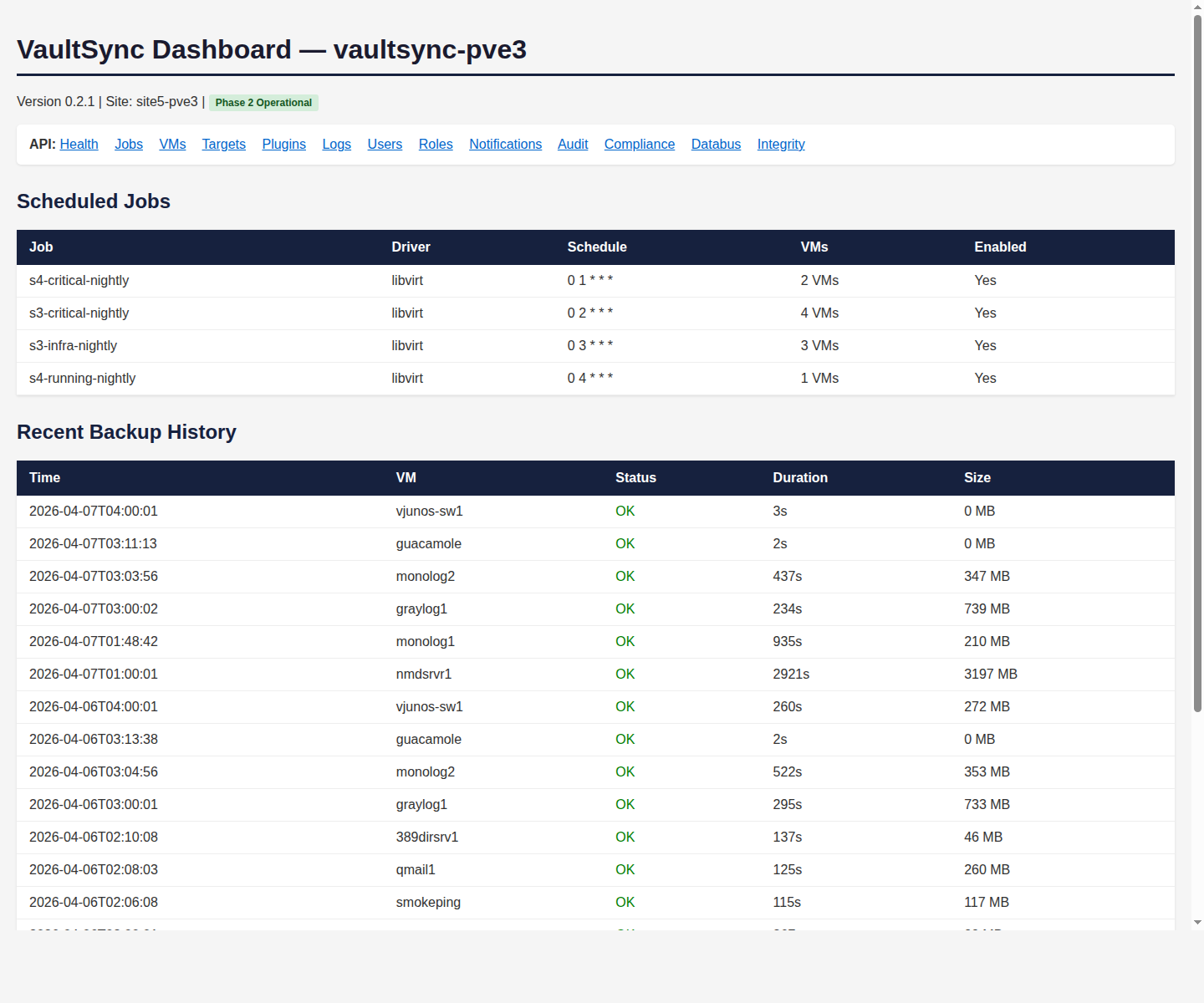
VaultSync production dashboard — scheduled jobs and recent backup history with real-time status.
You have backups. Somewhere. Probably. When was the last time you tested a restore? VaultSync backs up your VMs, servers, workstations, network configs, and mobile devices — then proves they can be restored. To the same platform or a completely different one. Encrypted. Tested. Automatically.
VaultSync production dashboard — scheduled jobs and recent backup history with real-time status.
It's not negligence — it's reality. Testing restores is time-consuming, disruptive, and easy to postpone. So the backup runs every night, the logs say "success," and everyone assumes it's working. Until the day you actually need it, and discover that the database backup has been silently failing for six months because a permission changed.
And there's a newer problem: ransomware gangs have figured out that if they encrypt your backups first, you have nowhere to go. They sit quietly in your network for weeks, mapping your backup infrastructure, finding your backup server, and compromising it before they encrypt anything else. Your insurance policy gets shredded before the fire starts.
Most backup tools answer the question "did the backup complete?" VaultSync answers the question that actually matters: "can we restore this, right now, and will it work?"
Ask VaultSync "when was the last successful restore test?" or "which backups would survive if the primary site burned down?" and get a verified answer. Not a log entry that says "completed" — a confirmation that the data was restored, validated, and functional.
Backup policies, retention schedules, restore procedures, and recovery priorities live in VaultSync — accessible to the whole team, not bottlenecked in one person's expertise. When the team grows, when responsibilities shift, when the intern needs to check on last night's backups — the system explains itself. And it doesn't explain in backup jargon. Ask it "is our accounting system protected?" and it tells you in business terms: when the last backup ran, whether it was tested, and how fast it can be restored.
VaultSync periodically restores backups to a sandbox environment, validates they boot and function, and records the result. You get a confidence score for every backup — not a hope and a prayer. Failed tests trigger alerts before you actually need the backup.
Back up a VMware VM, restore it as a Proxmox VM. Back up a physical server, restore it as a virtual machine. VaultSync converts between formats during restore, so your backups aren't trapped in the platform they came from.
Because VaultSync is multi-platform capable, your workloads are never tied to a single vendor. VaultSync continuously syncs VMs across different platforms in the background — so if your licensing situation changes, your business priorities shift, or you simply find a better fit, your workloads are already portable. No migration weekend. No downtime. You move when you're ready, on your terms.
Backups are encrypted before they leave the source, encrypted in transit, and encrypted at rest on the target. Even if an attacker reaches your backup storage, they get ciphertext — not your data. The encryption keys are managed separately from the backup data.
VaultSync isn't just for VMs. It backs up everything that matters — and tests the restores so you don't have to wonder.
Full VM backups across VMware, Proxmox, KVM/libvirt, and Hyper-V. Incremental snapshots minimize storage. Cross-platform restore means your backups aren't married to one vendor.
Bare-metal backup and restore. Physical-to-virtual conversion for disaster recovery. Your critical server can come back as a VM in minutes, even if the hardware is gone.
Switch configs, firewall rules, router tables — backed up and versioned. When integrated with NIVMIA, VaultSync inherits the full config vault history. A misconfigured firewall can be rolled back in minutes, not hours.
Designed to send copies to off-site storage — cloud providers, remote offices, or hardened backup vaults. Your primary site can be completely destroyed and your backups survive because they were already somewhere else.
Automated restore tests run on a schedule. VaultSync boots the backup in an isolated environment, checks that services respond, and records the result. You know your backups work because VaultSync proved it last Tuesday.
Daily, weekly, monthly, yearly retention tiers — configured per workload. Regulatory requirements met automatically. Storage reclaimed on schedule without manual cleanup.
VaultSync doesn't just copy your data somewhere safe. It can also keep live, synchronized copies across sites — so when a site goes dark, the data and the app are already somewhere else, already working, already up to date.
Traditional HA requires identical hardware at both sites, matching cluster configurations, expensive shared storage, and a team of specialists to maintain it. Most small and mid-size organizations can't afford that — so they don't have HA at all. They have backups and a prayer.
VaultSync continuously syncs your critical workloads to a secondary site — which can be a different hypervisor, a different location, even a different platform entirely. VMware primary, Proxmox secondary. Physical server primary, cloud VM secondary. When the primary goes down, the synced copy is current, tested, and ready. Your team brings it online — or, integrated with the DEC-LLC ecosystem, the system brings it online for you based on the priority you already set.
No matching hardware required. No shared storage fabric. No vendor lock-in at the secondary site. Just a continuously-synced, ready-to-run copy of the workloads that matter most.
Some data doesn't just need to survive a disaster — it needs to be available from multiple places at the same time. A retail company with three warehouses needs inventory data at all three. A law firm with two offices needs case files accessible from both. A school district needs student records at every campus.
When one location loses connectivity or goes offline, the other locations already have current data. There's no "failover" event because the data was never in just one place. When the offline location comes back online, VaultSync reconciles — catches that location up on everything that changed while it was disconnected, resolves conflicts, and brings the cluster back to consistency. Automatically.
For businesses that have always been told "real HA and data replication requires a six-figure budget and a dedicated DBA" — VaultSync makes it achievable — without the added zeros. Not by cutting corners on the engineering, but by handling the complexity inside the appliance so your team doesn't have to.
VaultSync's automated restore test runs Tuesday night. It restores your core accounting database to a sandbox, boots it, validates the data, and records the result: clean. Wednesday morning, the report is in your inbox before your coffee. But this time it also says: "Backup size for finance-db-01 increased 340% overnight. IVMIA reports a new 500GB data disk was attached yesterday by jparker. Retention policy impact: your 30-day rolling storage will exceed quota in 9 days."
VaultSync didn't just test the backup — it asked IVMIA "what changed on this machine?", got a specific answer with a name and a reason, calculated the downstream impact on your storage budget, and told you in time to act. Not a cryptic log entry. A clear explanation with a person, a cause, and a deadline.
Or this: VaultSync notices that network config backups from your NIVMIA config vault haven't changed in 14 days — but NIVMIA reports that switch configurations HAVE changed during that time. Something is wrong with the backup pipe. VaultSync doesn't wait for you to discover the gap during an audit. It alerts: "Config backups appear stale — NIVMIA shows 6 config changes in the last two weeks that aren't reflected in the backup vault. Pulling fresh copies now." Gap closed, before you knew it existed.
This is what happens when your backup system isn't just a copier — it's a participant in the ecosystem. It knows what IVMIA knows about your VMs. It knows what NIVMIA tracks about your network. It uses that shared knowledge to catch the gaps between your tools — the exact gaps where data loss lives.
VaultSync's continuous cross-platform sync runs in the background. Your ESXi VMs are silently replicated to Proxmox or KVM format every night. When you're ready to switch, you flip — no migration weekend, no downtime window, no emergency. Cancel the VMware licenses when you're comfortable, not when you're panicking.
VaultSync eliminates the uncertainty. It tests restores automatically, on a schedule, in an isolated sandbox. You get a weekly report showing which backups were verified and which ones need attention. The 3 AM phone call becomes a Tuesday morning report you skim with your coffee.
VaultSync's encrypted off-site copies and air-gapped storage targets mean your backups survive even if your entire primary site is compromised. The attacker can't encrypt what they can't reach. And because VaultSync tests restores continuously, you know the clean copies actually work — before the crisis starts.
Tomorrow's ransomware won't just encrypt files — it will corrupt backups incrementally over months, so the damage is already baked into your "clean" copies by the time you notice. VaultSync's restore verification catches corruption early, because it doesn't just check that files exist — it checks that they work.
Every backup encrypted with today's algorithms will eventually be readable by quantum computers. VaultSync is designed to support encryption algorithm rotation — re-encrypting existing backups with quantum-safe algorithms when they become available, without re-creating the backups themselves.
HIPAA, SOX, GDPR, and industry-specific regulations increasingly mandate not just that you keep data, but that you can prove you can restore it. VaultSync's automated restore testing creates an audit trail of verified recoverability — the evidence auditors are starting to require.
The VMware-Broadcom situation won't be the last. VaultSync's cross-platform restore ensures that no matter which vendor gets acquired, EOL'd, or repriced, your workloads can move to whatever platform makes sense — because they're already backed up in a portable format.
See VaultSync in real situations:
Scenario: Backing Up the Acquired Company's Mystery Systems → vs Veeam, Commvault, Acronis →VaultSync is priced per protected workload. Start with your most critical VMs and expand from there. Cross-platform restore and multi-platform sync are included in every tier.
Contact SalesVaultSync makes sure every backup is verified, portable, and ready — so "restore from backup" isn't just a plan, nor a prayer. It's a verified truth.
View Pricing Talk to Us